Tech Talks
Building a PC: Air vs Liquid Cooling, and Who Actually Needs Water
Liquid cooling is no longer an exotic hobby, and a good air cooler is no longer a compromise. The right choice depends less on the parts than on how the PC is used.
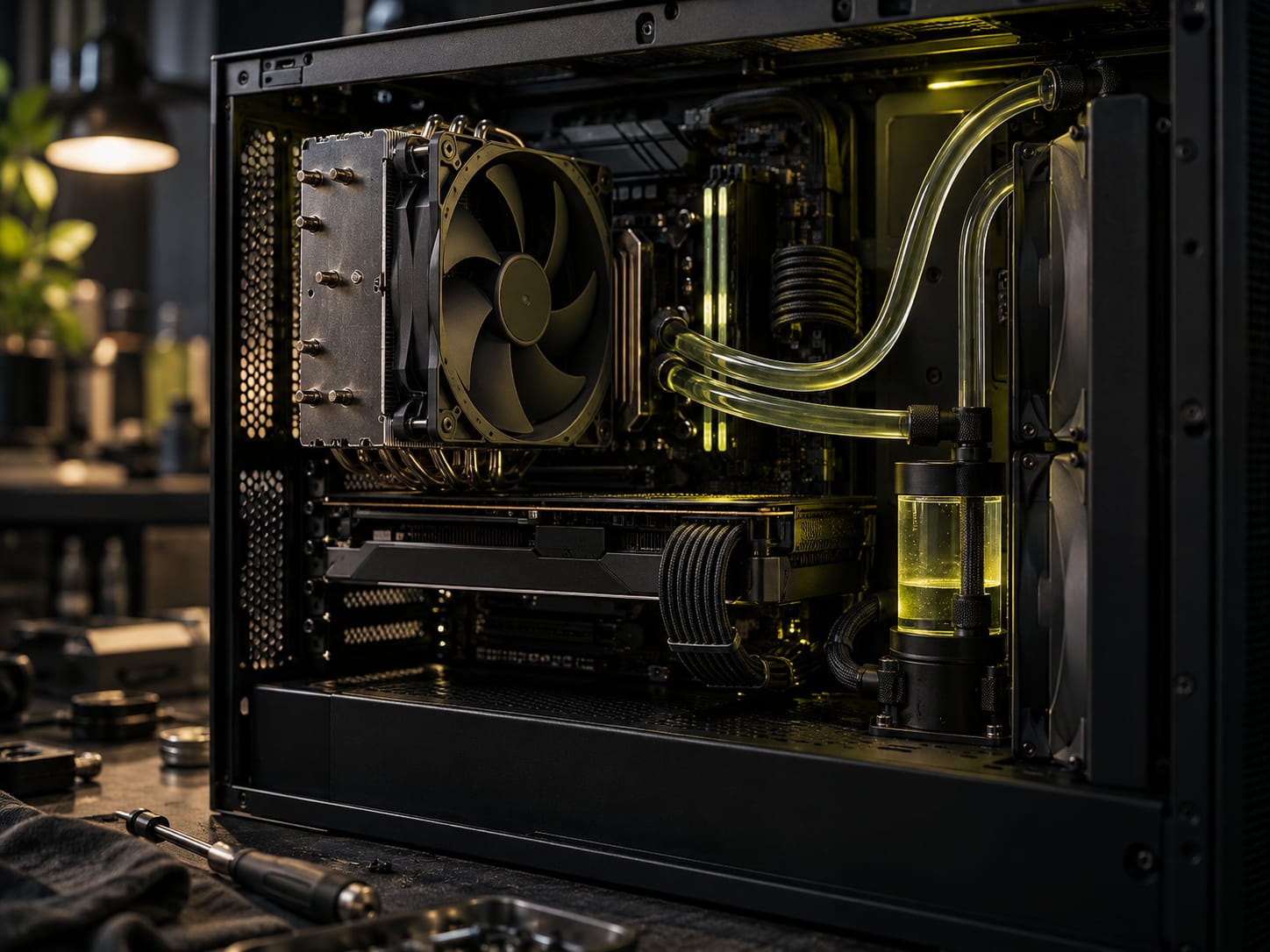
Liquid cooling in computers is older than most people assume. The Cray-2 supercomputer, developed from around 1982, submerged its circuit boards in Fluorinert, a non-conductive fluid that circulated through the whole machine. Home PCs followed only in the 1990s, through overclockers and case modders who built loops by hand. Those enthusiasts are a big part of why PCs stopped being beige boxes.
By 2018 the picture had changed completely. Pre-filled, sealed AIO (all-in-one) coolers install much like a large heatsink. Some graphics cards ship with their own liquid coolers. At the other end, a custom loop lets a builder choose every pump, block, radiator and fitting.
Liquid-cooled PCs can look spectacular. That still leaves the question builders ask most: which is better, air or liquid?
How air cooling works
Air cooling moves heat from a component into the air around it, with fans speeding that up. Fast-moving air feels colder on skin, but its temperature does not change with speed. What changes is convective heat transfer: moving air carries heat away faster. A heatsink works the same way. More airflow across the fins means faster heat transfer, and the air temperature inside the case sets the limit. (The case pressure Tech Talk covers where that air comes from.)
The old approach was to fill every fan mount the case had. Cases built around 80mm fans, such as the Antec SX1040B, kept components cold and sounded like a jet on the runway. Moving to 120mm fans and setting proper fan curves instead of 100% all the time made the same performance far quieter.
Air has three clear advantages:
- Price. Reliable, high-quality fans and tower coolers are inexpensive.
- Simplicity. Point the fan where the air should go, screw or clip it in, plug it into a header. A dead fan is visible at a glance.
- Choice. Aftermarket CPU coolers come in every size. A stock cooler is fine without overclocking, but a large tower such as the be quiet! Dark Rock Pro 3 runs far cooler.
Fan type matters more than many buyers notice. Manufacturers label models for high airflow or for static pressure, either in the name (Corsair’s AF120, for example) or in the specs. High-airflow fans move the most air when nothing blocks them. Static pressure fans keep pushing through resistance, which is what a heatsink or a restrictive front panel provides.
The drawbacks are noise and dust, and both can be managed. Air gets louder as fans spin faster, and small fans must spin faster to move the same volume. Where a case accepts 120mm or 140mm fans, the larger size is quieter. Motherboard fan control helps as well: idle temperatures rise a little, but the PC stays quiet until the components need the extra air. Dust follows airflow, which is why intake filters and slight positive pressure are worth the effort.
How liquid cooling works
Many builders avoid liquid cooling because they fear a leak destroying expensive hardware. That fear is understandable. The honest position is that most users, including most gamers, do not need liquid cooling. Builders who switch rarely want to go back, though, for two reasons.
The first is efficiency. By volume, water holds more than three thousand times as much heat as dry air. By mass the gap shrinks to about four times, but water wins either way, which is why car engines and home radiators use it. In a PC, coolant carries heat from a block on the CPU to a radiator, a pump keeps it moving, and fans help the radiator shed the heat.
Not every liquid setup beats air. Radiator size and pump speed matter a great deal. A small AIO such as the Corsair H55 easily beats a stock cooler, but a high-end air tower will probably beat the H55.
The second reason is noise. Because water moves the heat so well, the radiator fans can spin much slower than air cooler fans. A sensible AIO setup idles almost silently, with the CPU in the mid-20s °C, and stays in the mid-40s through gaming and streaming. Fans only become audible during long renders. A custom loop with more radiator area goes lower still.
The gap widens with overclocking. A well-sized liquid cooler can run a CPU well above stock speeds and still stay cooler than a stock-clocked chip on a stock cooler.
What liquid does not solve
A CPU block cools the CPU and nothing else. The VRM heatsinks around the socket, the chipset, the memory and the drives still depend on air moving through the case. In a hot room that air is warm, and case airflow still matters. A loop is part of the cooling plan, not the whole of it.
Liquid also has a quieter quirk. Air coolers react immediately: temperatures jump as soon as load arrives, so the ceiling is obvious within minutes. A liquid loop absorbs heat steadily and climbs slowly. A 10 to 20 minute benchmark can look remarkable, while the same load run for hours settles noticeably higher. The temperature will not climb forever, but the real figure takes longer to appear. Test for longer.
Hot climates make the decision harder. Air setups can run fine in Southeast Asian heat without air conditioning. Liquid gives more headroom, but only if the case still breathes.
Which one to pick
- Everyday use and occasional gaming: the stock air cooler is enough, unless the room is very hot.
- Mostly gaming: air is still fine, but check the case fans. Many cases ship with a minimal fan set. If the CPU hits its thermal limit or crashes under load, move to an aftermarket tower.
- Streaming, recording, rendering, or a first overclock: a good aftermarket air cooler and decent case fans at minimum.
- Heavy overclocking or a near-silent PC: liquid. An AIO from a major brand is the simple route; many carry long warranties, some covering damage to other parts if the cooler fails. Fit the largest radiator the case allows.
- The showpiece build: a custom loop. It runs coolest and looks the part, but it takes skill to build and needs regular maintenance.
The real dividing line is noise. Below that threshold, air cooling does almost everything for less money; above it, water starts paying for itself.
Questions readers ask
Is liquid cooling better than air cooling?
Water carries heat far better than air, so a well-sized liquid cooler usually runs cooler and quieter under sustained load. A small AIO, though, can lose to a high-end air cooler. For everyday use and most gaming, a good air setup is enough; liquid pays off for heavy overclocking or a near-silent PC.
Is an AIO worth it over an air cooler?
It is worth it when noise or overclocking headroom matters and the case fits a large radiator (240mm or bigger). For a stock-clocked gaming PC, a quality tower air cooler gives similar results with fewer parts that can fail.
Why do liquid cooled PCs slowly get warmer under load?
The coolant absorbs heat gradually, so temperatures climb slowly rather than spiking. A 15-minute benchmark can look excellent while a much longer session settles several degrees higher. Test for longer before judging a loop.
Do I still need case fans with liquid cooling?
Yes. The radiator only cools what the loop touches. The VRMs, chipset, memory and storage still rely on air moving through the case.